How to Make a Top-Up on the MCA Platform
The Top-Up feature is available exclusively for logged-in, registered members.
Step-by-Step Guide
Step 1: Log In to Your Account
Log in to your member account at:
https://myclubaccount.co.uk/Elmpark/Account/Login.
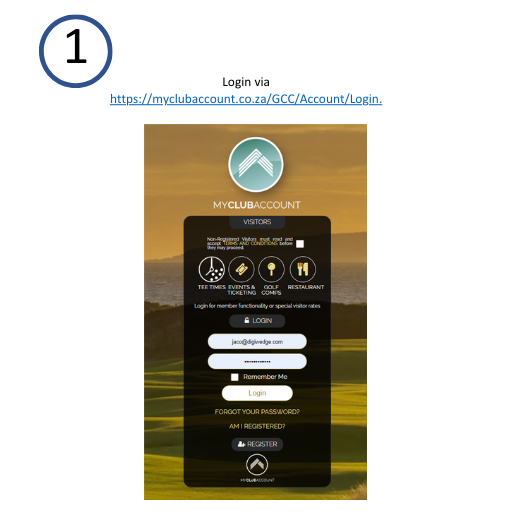
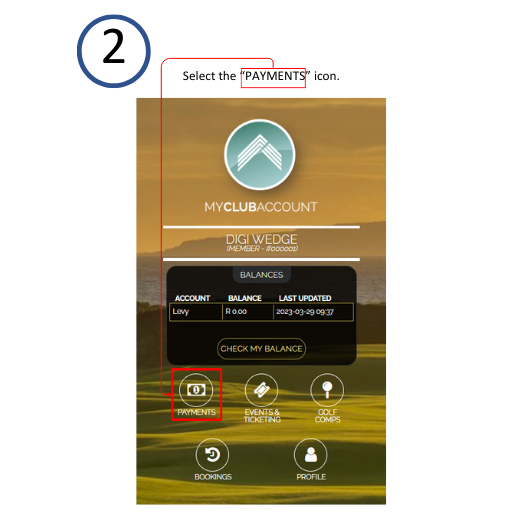
Step 2: Select Payments Icon
After logging in, select the Payments icon.
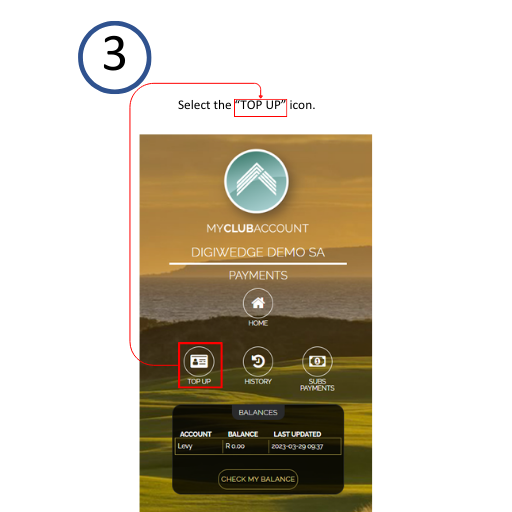
Step 3: Select the Top-Up Icon
Choose the Top-Up icon from the options provided.
You will then be directed to the Top-Up page, where you can add funds to your club card or a beneficiary's account.
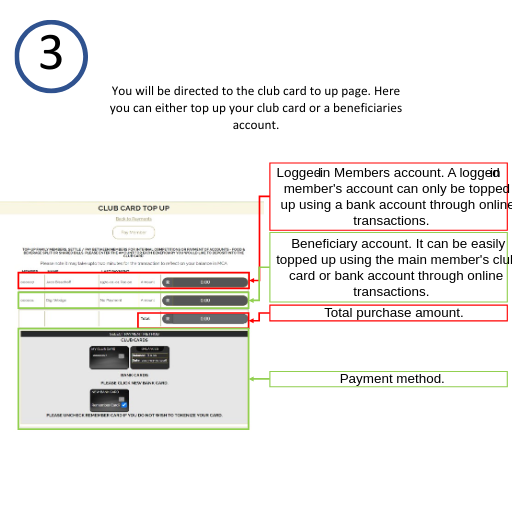
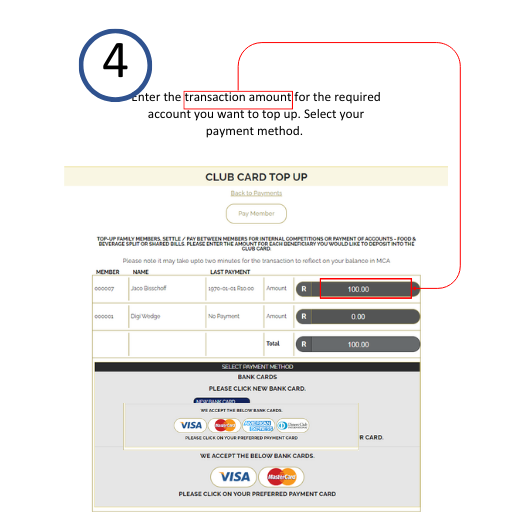
Step 4: Enter Transaction Details
- Enter the transaction amount for the account you wish to top-up.
- Choose your preferred payment method.
Step 5: Complete Payment via Payment Gateway
You will be redirected to a secure payment gateway. Follow the prompts to complete your payment.

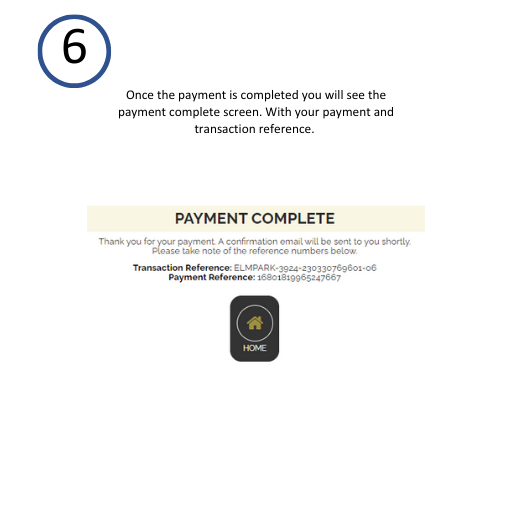
Step 6: Payment Completion Confirmation
Upon successful payment, you will see a confirmation screen displaying the transaction details and payment reference.
Important Notes
- Ensure you are logged into your MCA member account to access the Top-Up feature.
- Keep your transaction reference for future queries and confirmation purposes.
For assistance, contact support through your club's MCA platform.
Last updated: 2025-06-22